2. Getting Started
Step 2: Verification — Activating Mateship & Security
Published: 2026-09-10
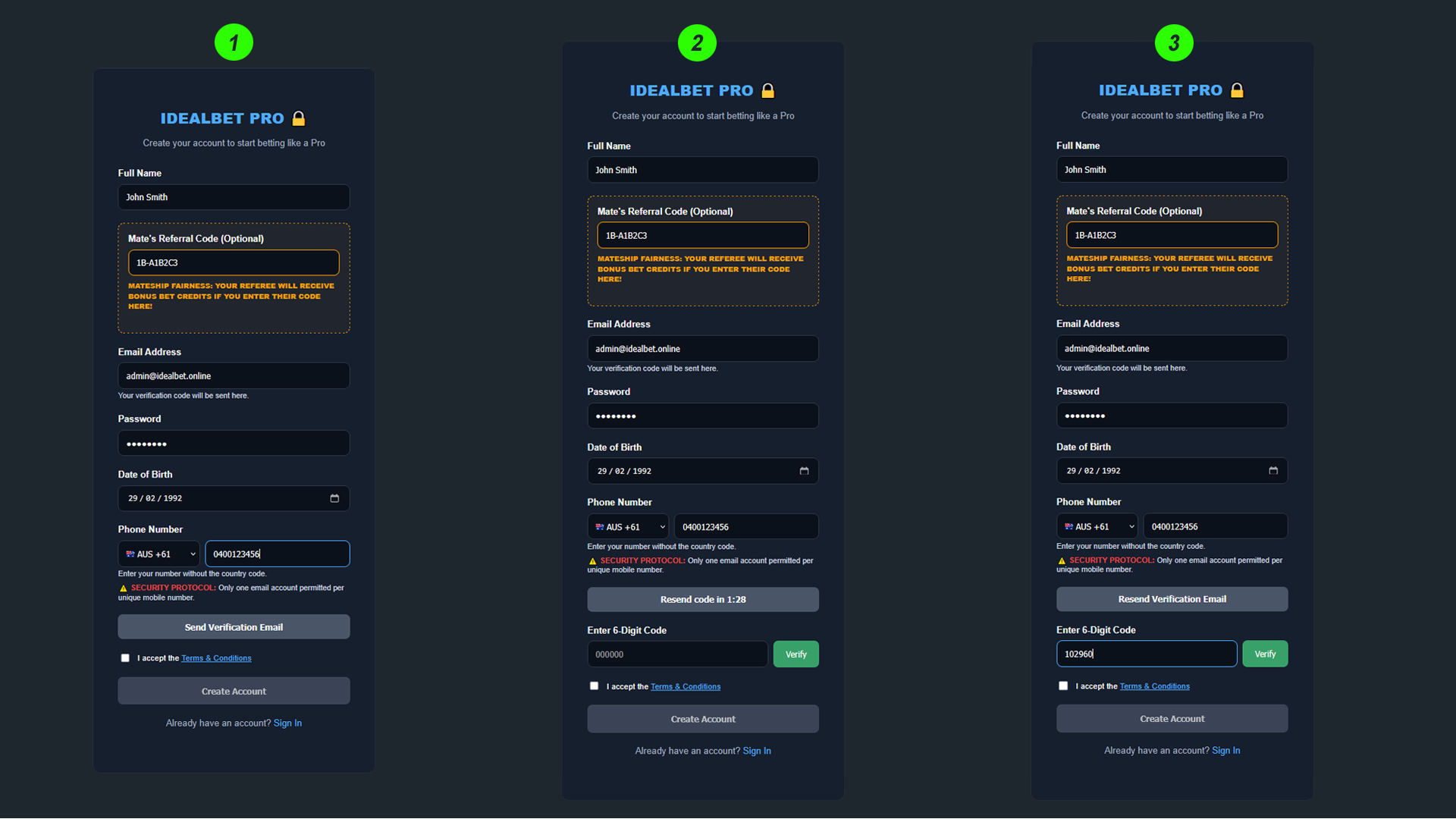
Step 2: Verification & Mateship
Once you have entered your basic details, the system moves to the verification phase. This step is designed to ensure your account is secure and that your friends are rewarded for inviting you to the platform.
1. Entering the Referral Code
As shown in the first panel of the image, there is an optional box for your Mate's Referral Code. If a friend referred you to IdealBet, enter their unique code (e.g., IB-A1B2C3) here.
Note the Mateship Fairness message below the box. By entering this code, you are ensuring that your referee receives their bonus Bet Credits the moment you make your first purchase. This is our way of keeping the community fair and rewarding those who help grow the network.
2. Requesting Your Verification Code
After entering the referral code, click the Send Verification Email button. As seen in the second panel, the button will transform into a countdown timer (e.g., Resend code in 1:28). This confirms that a secure 6-digit code has been sent to your inbox.
3. Validating Your Access (OTP)
Check your email for a message from IdealBet Pro. Locate your unique 6-digit code and enter it into the Enter 6-Digit Code box, as shown in the third panel. Once the code is entered, click Verify. This finalizes your identity check and prepares your account for activation.
With your email verified, you are now ready to finalize the creation of your account.