2. Getting Started
Step 5: The Dashboard — Navigating Your New Command Center
Published: 2026-09-10
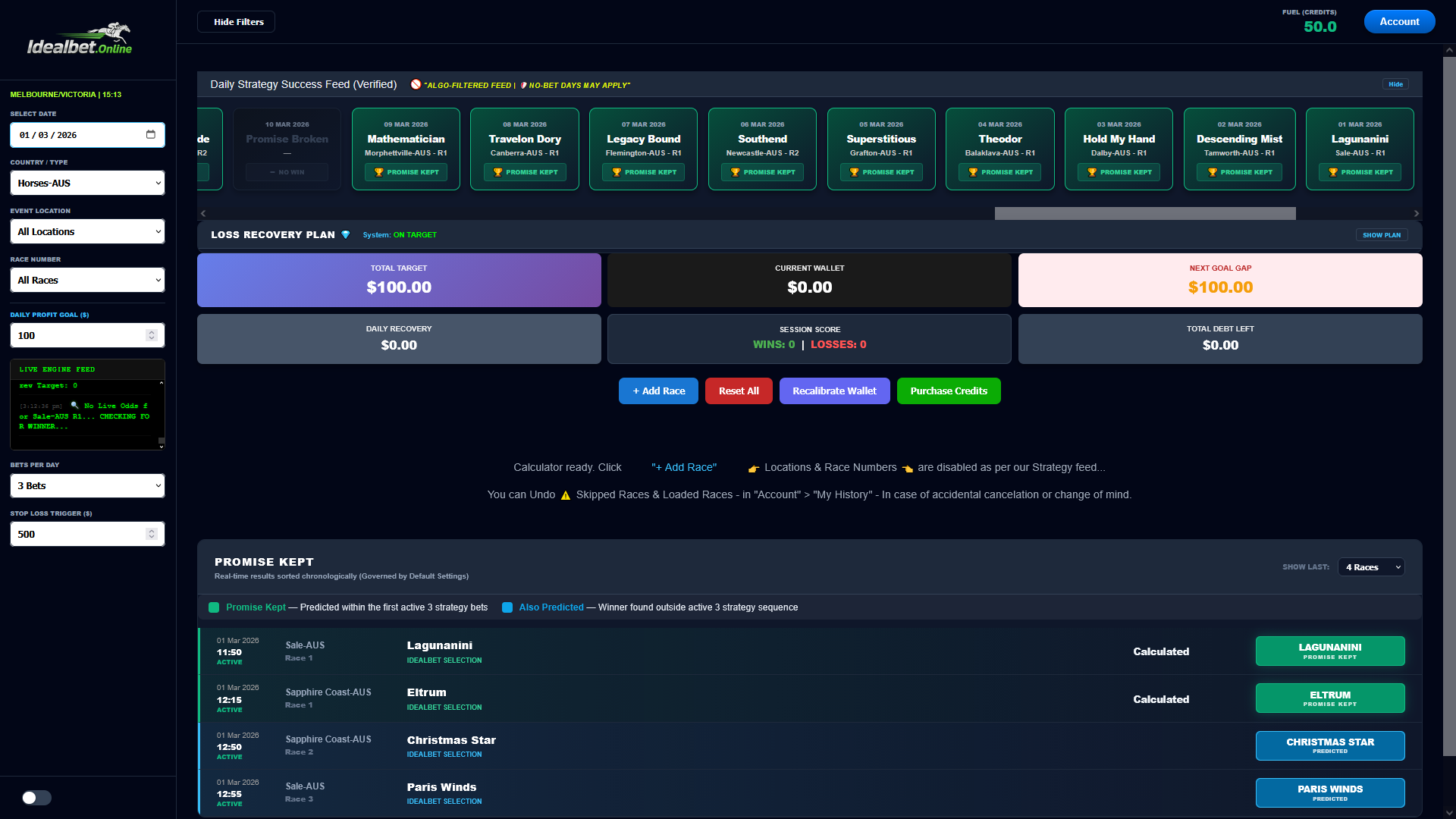
Step 5: Operational Readiness
Congratulations. You are now looking at the most advanced mathematical engine in the racing industry. As you can see in the image above, the dashboard is designed to give you "Total Information Awareness" without the clutter of a standard betting site.
1. Check Your Fuel
Look at the top right corner of your screen. You will see FUEL (CREDITS): 50.0. These are the free credits we promised you! You are now fully funded to run your first few sessions and witness the power of the engine firsthand.
2. The Success Ribbon (Your Proof)
At the top of the dashboard is the Daily Strategy Success Feed. This is your window into the engine's recent performance. Those green "PROMISE KEPT" cards aren't just for show—they are a verified history of the engine hitting its profit target. As you can see, the engine is remarkably consistent, often winning for weeks at a time before a single "Broken Promise" occurs.
3. The Scoreboard (Your Financial Health)
The large purple, black, and red cards in the center are your Live Scoreboard.
- Total Target: This is your goal for the day (Default is 00).
- Current Wallet: This tracks your actual profit in real-time.
- Next Goal Gap: This tells you exactly how much more you need to win to finish your session and walk away.
4. Ready to Race?
To start your first session, simply click the blue + Add Race button in the center. The engine will automatically find the next high-probability race that fits our 3x3 strategy and load it into your calculator.
You are no longer "Punting." You are now Operating. Welcome to the pro-tier of IdealBet.Online.